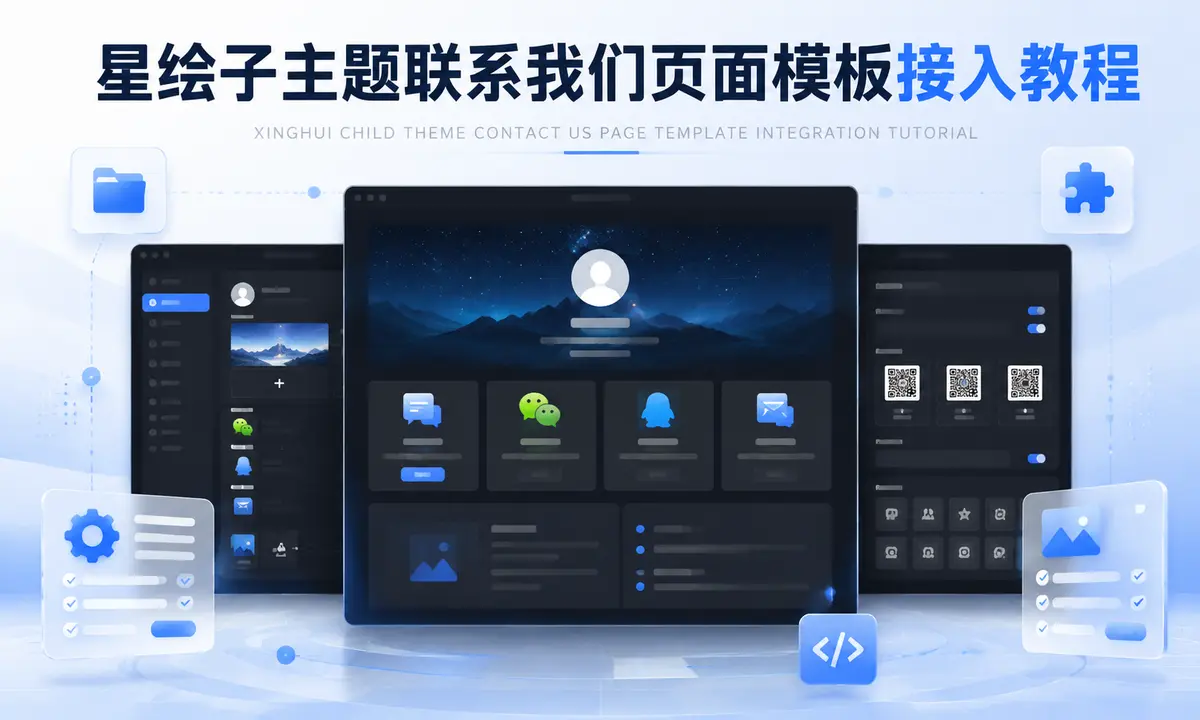






 文章摘要
文章摘要
效果图
![图片[1]-子比主题联系我们页面模板父主题直装教程-浅刻拾光](https://pub-6a9d523fad424d34975b17a202fbaa8b.r2.dev/uploads/2026/07/d2b5ca33bd20260716011013.webp)
体验地址
联系我们页面模板 – 父主题直装教程
说明:这是“直接放到子比父主题执行”的版本,不依赖子主题。
目标主题目录:/wp-content/themes/zibll/
1. 文件结构
在父主题 zibll 目录中新建下面这些文件:
/wp-content/themes/zibll/xh-about-contact/about-contact.php
/wp-content/themes/zibll/xh-about-contact/template-about-contact.php
/wp-content/themes/zibll/xh-about-contact/assets/about.css
/wp-content/themes/zibll/xh-about-contact/assets/about.js
然后在父主题根目录 func.php 中引入:
<?php
require_once get_theme_file_path('/xh-about-contact/about-contact.php');
如果父主题根目录没有 func.php,就自己创建一个。子比主题会自动加载 func.php。
2. 模块主文件 about-contact.php
这个文件负责后台设置、数据读取、图片解析和页面模板注册。
放到:
/wp-content/themes/zibll/xh-about-contact/about-contact.php核心要求:
- 不使用
XINGHUI_CHILD_DIR - 不使用
XINGHUI_CHILD_URI - 不使用子主题函数
- 全部改成父主题路径函数:
get_theme_file_path()
get_theme_file_uri()
后台设置建议挂到子比主题原 CSF 设置里,直接使用子比主题选项前缀:
$prefix = 'zib_options';如果你的父主题选项前缀不是 zib_options,以 inc/options/admin-options.php 里 CSF::createOptions() 的前缀为准。
3. 页面模板 template-about-contact.php
页面模板放到:
/wp-content/themes/zibll/xh-about-contact/template-about-contact.php模板头部写:
<?php
/**
 * Template Name: 联系我们
 */
注意:因为模板文件不在父主题根目录,WordPress 默认不会自动识别,所以需要在 about-contact.php 里注册模板:
add_filter('theme_page_templates', function ($templates) {
    $templates['xh-about-contact/template-about-contact.php'] = '联系我们';
    return $templates;
});

add_filter('template_include', function ($template) {
    if (is_page()) {
        $page_template = get_page_template_slug(get_queried_object_id());
        if ('xh-about-contact/template-about-contact.php' === $page_template) {
            return get_theme_file_path('/xh-about-contact/template-about-contact.php');
        }
    }

    return $template;
});
4. CSS 和 JS 引入
在模板里引入父主题目录下的资源:
$asset_uri  = get_theme_file_uri('/xh-about-contact/assets/');
$asset_path = get_theme_file_path('/xh-about-contact/assets/');

wp_enqueue_style(
    'xh-about-contact',
    $asset_uri . 'about.css',
    array(),
    file_exists($asset_path . 'about.css') ? filemtime($asset_path . 'about.css') : THEME_VERSION
);

wp_enqueue_script(
    'xh-about-contact',
    $asset_uri . 'about.js',
    array('jquery'),
    file_exists($asset_path . 'about.js') ? filemtime($asset_path . 'about.js') : THEME_VERSION,
    true
);
5. 后台设置项
后台设置建议字段:
页面标题
页面简介
头像
顶部背景
站内私信接收用户ID
微信名称
微信二维码
私信按钮文字
QQ名称
QQ号码
QQ说明
QQ二维码
功能区标题
功能区说明
功能卡片
介绍卡片
底部联系区开关
底部联系区标题
底部联系区说明
底部联系区标签
功能卡片图标使用图片上传,不用字体图标:
array(
    'id'      => 'xh_about_cards',
    'type'    => 'group',
    'title'   => '功能卡片',
    'fields'  => array(
        array(
            'id'      => 'icon',
            'type'    => 'media',
            'title'   => '图标',
            'library' => 'image',
            'preview' => true,
        ),
        array(
            'id'    => 'title',
            'type'  => 'text',
            'title' => '名称',
        ),
        array(
            'id'    => 'desc',
            'type'  => 'text',
            'title' => '说明',
        ),
        array(
            'id'    => 'url',
            'type'  => 'text',
            'title' => '链接',
        ),
    ),
)
6. 图片字段解析
父主题直装版不要调用子主题图片函数,直接写一个本模块自己的解析函数:
function xh_about_media_url($value, $default = '')
{
    if (is_array($value)) {
        if (!empty($value['url'])) {
            return $value['url'];
        }

        if (!empty($value['thumbnail'])) {
            return $value['thumbnail'];
        }

        return $default;
    }

    return is_string($value) && $value !== '' ? $value : $default;
}
7. 私信按钮
不要自己写 data-remote、modal-mini。
直接调用父主题私信按钮:
echo class_exists('Zib_Private')
    ? Zib_Private::get_but($receive_user_id, esc_html($private_text), 'but jb-blue radius xh-about-msg-btn')
    : '';
这样会自动使用父主题私信弹窗参数,包括:
full-sm
height 550
mobile-bottom
登录判断
私信开关判断
黑名单判断
如果侧边栏私信正常,这里也会正常。
8. 页面使用
后台新建页面:
页面 -> 新建页面 -> 模板选择“联系我们” -> 发布然后到子比主题后台设置里填写:
头像
背景图
微信二维码
QQ二维码
功能卡片
介绍卡片
私信接收用户ID
9. 样式注意
CSS 必须只写模块作用域,避免影响父主题弹窗:
.xh-about-page {}
.xh-about-page .xh-about-contact-card {}
.xh-about-page .xh-about-card {}
不要写这些全局选择器:
.modal {}
.modal-dialog {}
.private-window {}
textarea {}
.form-control {}
.container {}
body {}
html {}
私信弹窗属于父主题,不要覆盖它。
10. 常见问题
私信弹窗样式不对
检查是不是自己写了:
data-class="modal-mini"父主题私信应使用:
Zib_Private::get_but()私信按钮不显示
检查:
1. 是否已登录
2. 接收用户ID是不是当前登录用户自己
3. 父主题是否开启消息功能
4. 父主题是否开启私信功能
5. 当前用户是否被封禁
后台没有模板
检查:
1. func.php 是否存在
2. func.php 是否有 PHP 头:<?php
3. 是否 require 了 xh-about-contact/about-contact.php
4. theme_page_templates 和 template_include 过滤器是否添加
11. 升级提醒
这是父主题直装版,在线升级父主题可能会覆盖文件。
建议每次升级前备份:
/wp-content/themes/zibll/func.php
/wp-content/themes/zibll/xh-about-contact/
如果你是手动覆盖父主题文件,必须先把这两个位置备份出来。
本站收集的资源仅供内部学习研究软件设计思想和原理使用,学习研究后请自觉删除,请勿传播,因未及时删除所造成的任何后果责任自负。
如果用于其他用途,请购买正版支持作者,谢谢!若您认为「MNSIN.COM」发布的内容若侵犯到您的权益,请联系站长邮箱:xing_h_j@163.com 进行删除处理。
本站资源大多存储在云盘,如发现链接失效,请联系我们,我们会第一时间更新。







- 最新
- 最热
只看作者